 BT Battery Notifier
Android · Wear OS · real time
Every battery on the home screen.
In real time, in the widget.
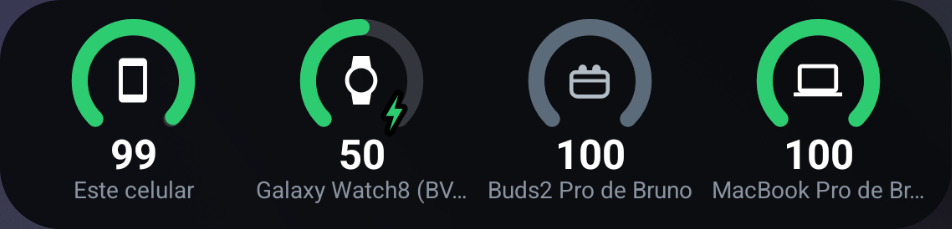
The widget shows the battery of everything you have paired — earbuds, watch, keyboard, car — and refreshes on its own, in real time, with no permanent notification in the status bar. Since 2.0 your Mac joins the same list. Whatever is away shows up in grey with its last reading, and whatever leaves with little left speaks up.
 Free, with optional Pro
 0
Left
0
Right
0
Case
0
Phone
Widget
Nothing to open, nothing to ask
The widget grows by the cell: a narrow row shows four gauges, a bigger block shows eight. You pick which ones appear — your Mac's devices and the MacBook's own battery included — and drag them into order. It wakes up when a device connects or disconnects, so the number on the home screen is the number right now, and none of it costs a permanent notification in the status bar.
The connected ones with the current number, the absent ones with their last reading
Each component takes a slot — or none at all
The MacBook's own battery included, once you have linked the two
Four gauges in a row, eight in a block
No permanent notification in the status bar
The list
Every battery gets its own number
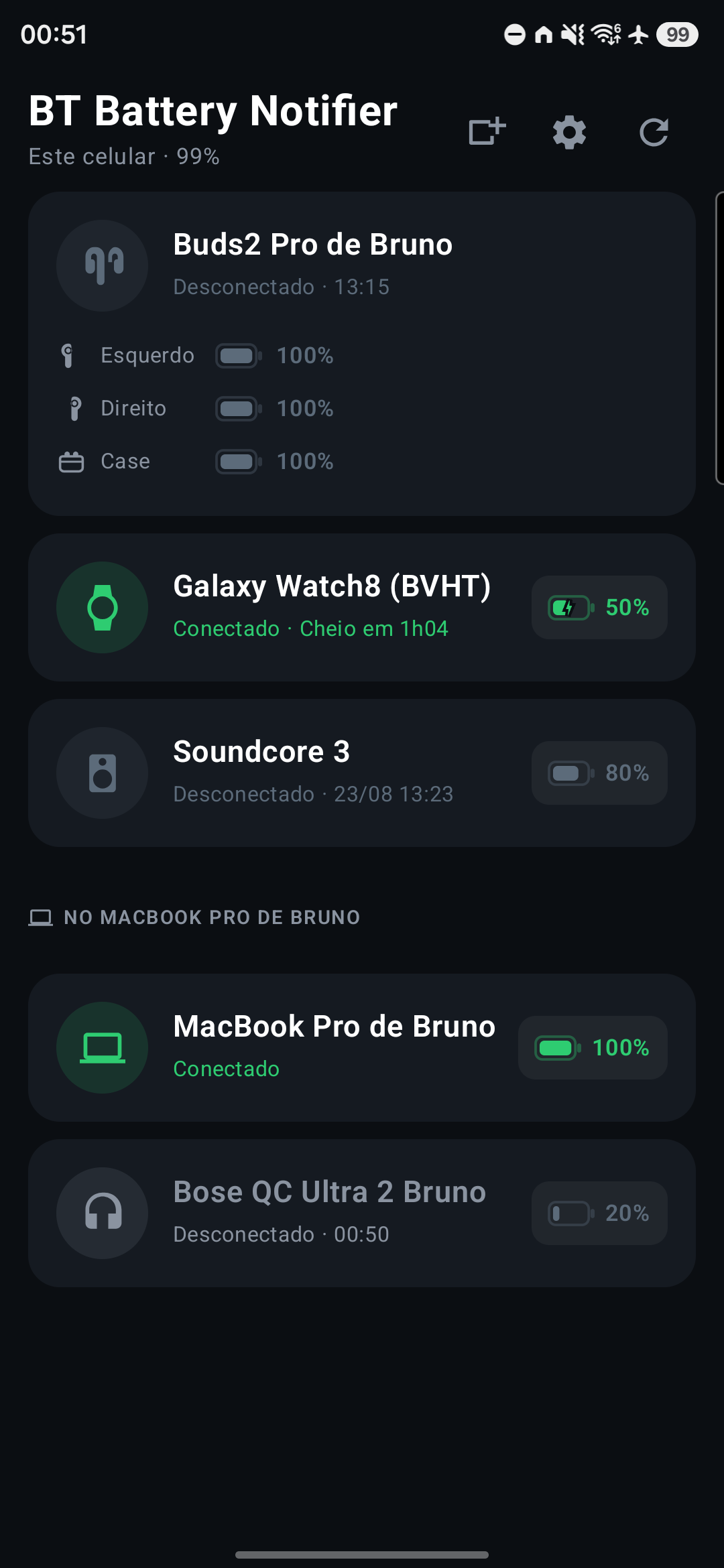
Earbuds recharge themselves inside the case. One number for the whole pair hides the thing that matters, so each part shows up on its own, with its own alert rule. And the phone itself joins the list, alongside everything else.
Left, right and case, each with its own number
Headphones, speakers, keyboards, mice, cars
In the same list and the same widget
A green bolt and "full in 1h05" — in the app, in the widget and on the watch
With the time of the last reading, so it is never mistaken for now
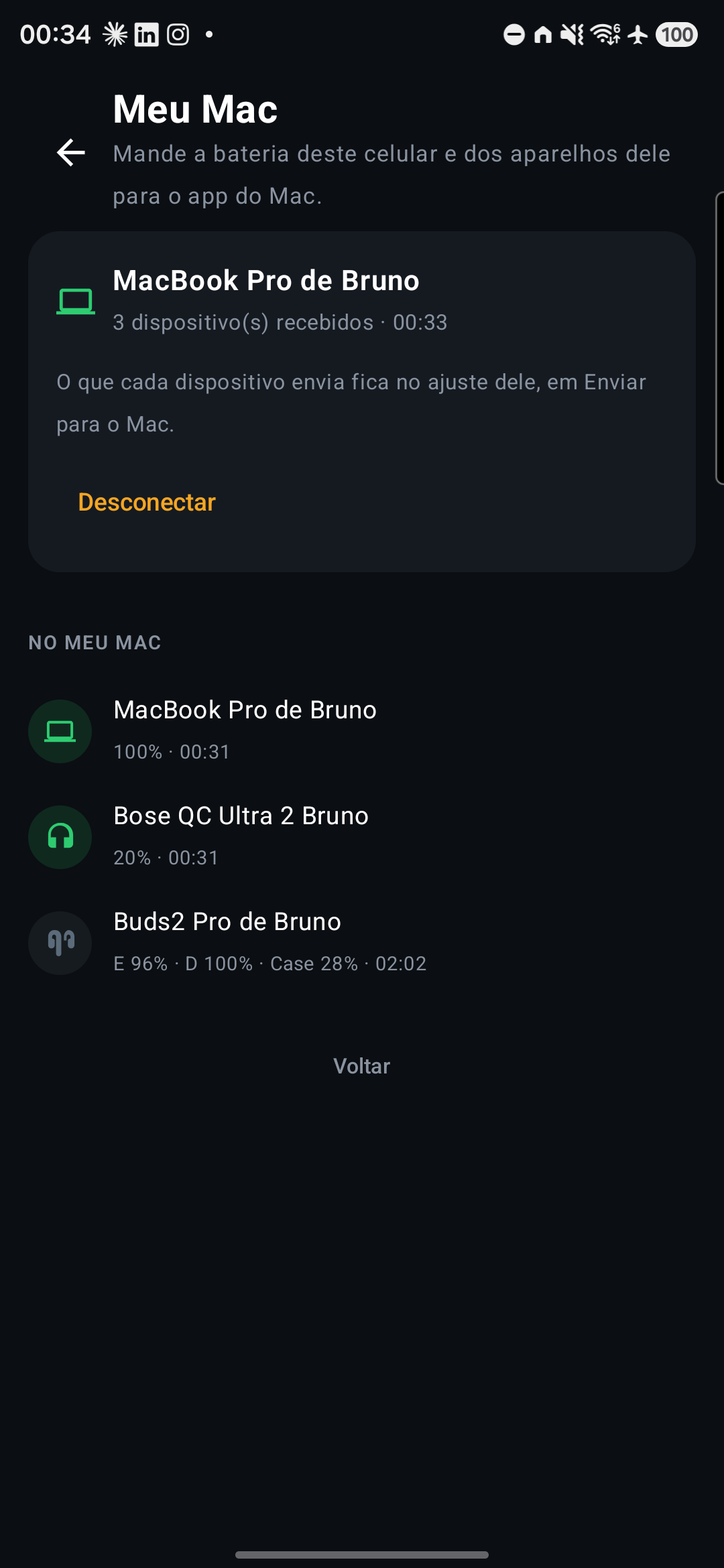
My Mac · 2.0
The Mac's battery here, and this one's over there
You link the two with a code — a QR on the Mac screen or six characters typed in — and from then on each one sees what the other reads. The MacBook joins your list with its own battery and its devices; the phone and the watch join the panel on the Mac. The key is born from that code, lives on the two devices, and never leaves them.
A QR or six characters, once, with no account and no sign-up
The server in between only relays sealed bytes — the key never passes through it
Earbuds connected to both appear once, with the reading of whichever has them now
The last reading stays in grey, like any device out of range
Wear OS
On your wrist, with the watch itself on the list
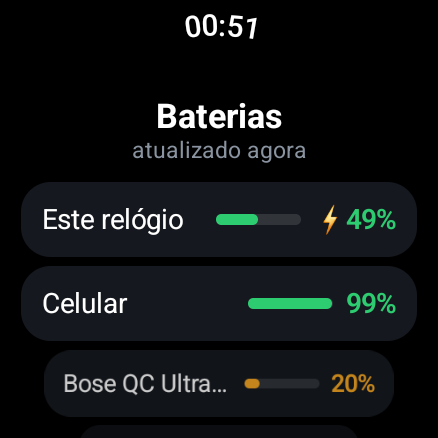
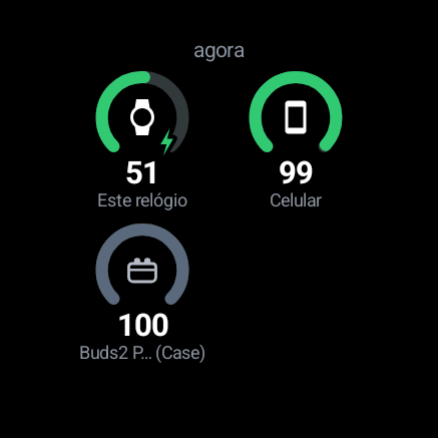
The watch is the one device the phone cannot read — so the app on your wrist reads itself and sends the number to the phone. In return, it receives the battery of everything the phone can see. One turn of the wrist and it is all there, on the tile beside the watch face.
The watch's battery and everything the phone reaches
Configured on the phone, in the same editor as the widgets
Readings are fetched when you open it — the watch's battery is not spent looking
Alerts
The warning arrives while there is still time
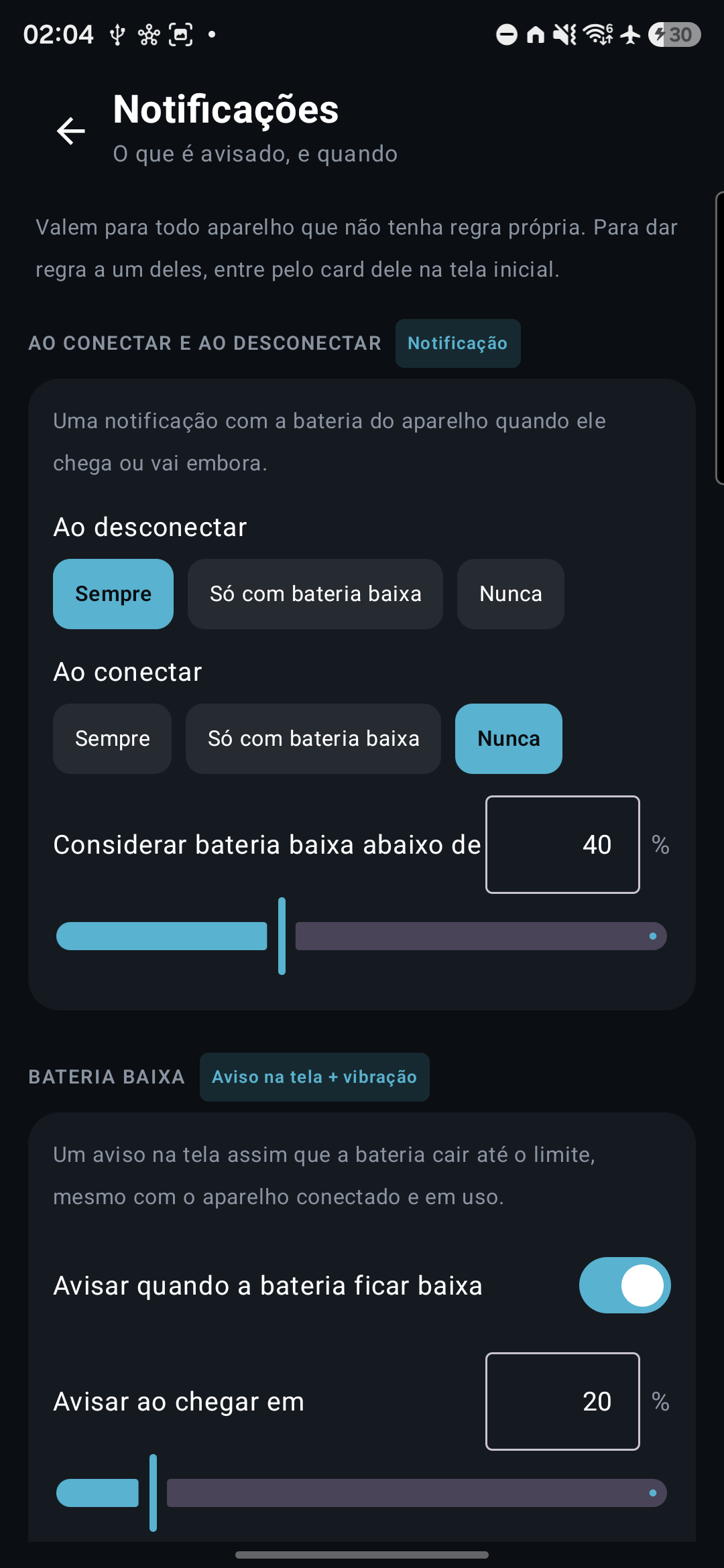
The moment you put the earbuds away and they disconnect, the notification comes with the number — not just the name. The general rules apply to every device without rules of its own, and any device can have them: a threshold per cell, silence, alert only on connect. The case gets its own threshold, because it is the only part anyone has to remember to plug in.
On wireless earbuds: left, right and case, each with its own rule
Fires on crossing the threshold, not on every reading
Tap its card on the home screen and change only what you want
The device leaves the list and stops speaking up
Privacy
Nothing leaves your device — except what you send to your own Mac, encrypted end to end.
Política de privacidade (Portuguese) · Privacy policy (English)